Copper · Buyer guide
A new access point can arrive before the network is ready to support it. The ceiling cable may be usable, the switch port may be too slow, or the available power mode may limit features. Review the wired and power dependencies before turning a Wi-Fi 7 product list into a purchase order.
Use the exact access-point model as the starting point
Read the selected model’s current datasheet and deployment guide. Record its wired interfaces, supported power sources, mounting requirements and management platform. Keep desired features beside the conditions needed to enable them.
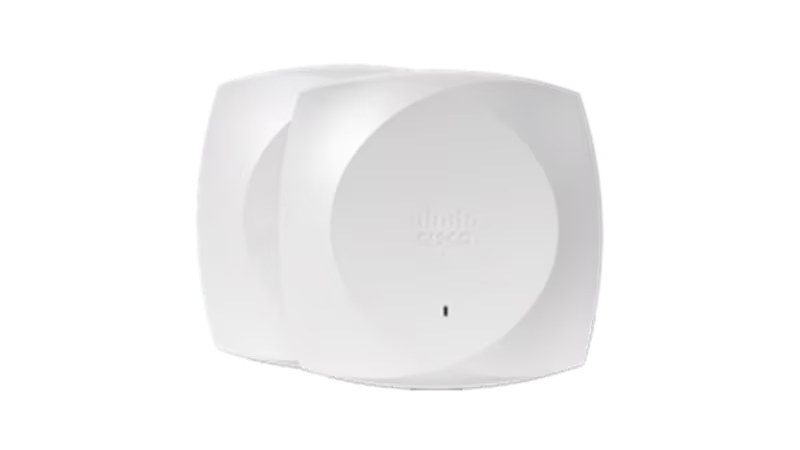
Cisco’s Wireless 9176 datasheet lists a multigigabit interface and different operating behaviour by power source. Cisco Wireless 9176 Series datasheet This is a model-specific example of why “PoE supported” is an incomplete line in a quote. Ask which mode the proposed switch or injector will actually provide and what capabilities remain available in that mode.
Trace the entire copper path
Identify the existing permanent link and both patch cords, then locate the corresponding panel and switch port. Record available test reports and any changes since testing. A cable category printed on one jacket does not establish the performance of the whole installed connection.
CommScope identifies Category 6A as part of its enterprise cabling portfolio for modern applications. CommScope Category 6A portfolio Use that as a starting point for selecting an appropriate system with your designer. Do not turn the category into a universal requirement for every existing run or assume that replacing only a patch cord upgrades the permanent link.

Check per-port power and the shared budget
A switch can support a power standard at individual ports while its overall available budget limits how many devices can use that mode together. Include the other powered devices, the chosen power supply arrangement and the intended operating conditions in the calculation.
Keep the answer documented at the port level. If a quote includes injectors, identify their compatibility, power source and physical location. If it relies on existing switches, have the owner confirm the port speed, power mode and remaining budget rather than treating the switch model name as sufficient evidence.
Avoid promising the headline wireless rate
Wireless product figures describe specified capabilities under defined conditions. Actual user experience also depends on client support, radio conditions, channel choices, wired infrastructure and the application. A fast AP does not create more internet capacity or remove a congested upstream link.
Country-specific radio availability must be checked for the intended deployment. A global product document is not evidence that every feature or band is available in India. Define your required application outcome and have the design team confirm the locally supported configuration.
A useful purchasing hold point
If the AP model is fixed but the switch power mode remains unknown, hold the readiness decision open. Ask for the actual switch-port configuration and power-budget assessment. Replacing an existing switch may be necessary, but the missing evidence should be resolved before that additional purchase is assumed.
Turn dependencies into a readiness decision
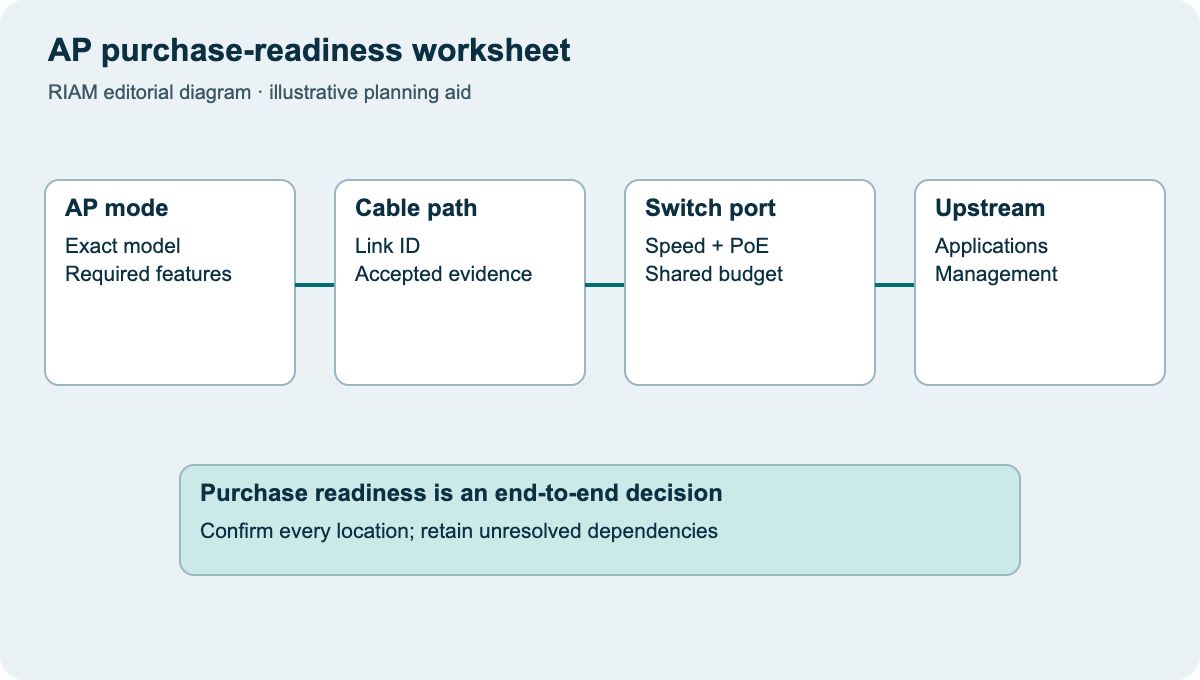
Complete the worksheet for every AP location, not just one sample. Mark links requiring testing, ports requiring a change and locations awaiting power or mounting work. Give each gap an owner and resolve it before committing the final hardware quantities.
This article complements RIAM’s existing Wi-Fi 6 cabling discussion by focusing on a purchase-readiness record for a chosen Wi-Fi 7 model. Share your current switch inventory, cable reports, AP locations and intended applications when discussing the project with RIAM’s wireless and structured-cabling teams.
AP purchase-readiness worksheet
Use this as a discussion worksheet. Highlighted cells can be edited for your planning, then printed. Changes are not saved automatically.
| Dependency | Record for each location | Decision | Owner |
|---|---|---|---|
| AP and feature mode | Exact SKU, desired features, local support | Confirmed / query | Wireless designer |
| Wired link | Panel ID, category, reports and route | Reuse / test / replace | Cabling owner |
| Switch port / power | Port speed, PoE mode and total budget | Ready / change required | Network owner |
| Management and licence | Platform, entitlement and support term | Included / gap | Procurement / IT |
Example values, where shown, are labelled assumptions. This is not a quotation or an engineer-approved design.
Questions buyers ask
Must every Wi-Fi 7 deployment use new cable?
No automatic conclusion follows from the Wi-Fi label. Check the actual AP interface, intended speed and condition of each existing link.
Is a PoE-capable switch enough?
Confirm the required standard and available mode per port, the overall power budget and any feature limitations under the proposed supply.
Will the advertised wireless speed reach each laptop?
Not as a guaranteed user rate. Client capability, RF conditions, shared airtime and upstream links all affect the result.
Can we assume all global radio features work in India?
No. Verify current country support and the approved configuration for the exact hardware and software before purchasing.
Which records help assess reuse?
Cable IDs, certification reports, patching details, switch models, port settings and current powered-device loads make the assessment more useful.
Discuss the requirements with RIAM’s copper services team. For background, read the existing copper guide.
Manufacturer references
References checked on 22 October 2026. Model details and project suitability should be checked against the selected configuration.