Wireless · Buyer guide
One Wi-Fi proposal includes a “survey”. Another charges separately for design and validation. The difference may be reasonable, but the word survey is not a complete scope. Before comparing fees, ask what the provider will measure. Also identify its assumptions and the evidence you will receive.
Name the question the survey must answer
A design exercise may identify the proposed access-point locations. A fault investigation may ask why calls fail in a particular room. An acceptance survey asks whether the installed network meets agreed requirements. Those questions can require different work.
Cisco distinguishes predictive, passive and active survey methods and describes post-validation checks. Cisco WLAN site survey guidelines Use those distinctions to ask for a clear method and deliverables list. Do not treat simulated coverage as a measured result from the finished office.
Agree the floor plan and usage assumptions
Give the survey provider a scaled drawing and identify which areas matter. Show meeting rooms, partitions, storage, special construction and expected changes. Explain whether the business needs ordinary data access, voice, video, mobility or a mix.
Record the expected device population and important client types. A result obtained with one capable survey device does not automatically describe every laptop or handheld in the building. Ask the provider to identify its test equipment, selection reasons and remaining limitations.

Make the AP model part of the evidence
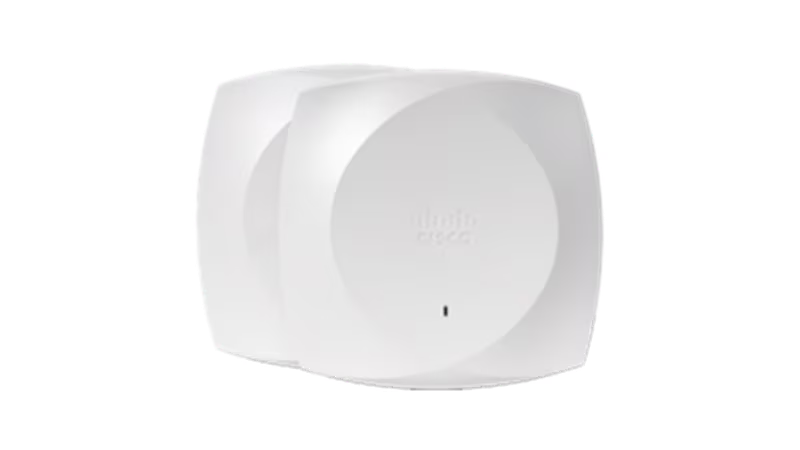
The proposed AP, antenna arrangement, mounting position and power configuration belong in the design record. Cisco’s 9176 family, for example, includes omnidirectional and directional versions. Cisco Wireless 9176 Series datasheet That is a practical reason to identify a model instead of writing only “enterprise Wi-Fi access point”.
The photograph is an OEM product reference, not a recommendation that this model fits every office. The quote should explain the intended platform, management and licensing as well as the installation. Verify local feature availability for the actual deployment. Do not infer it from a global data sheet.
Ask for results you can act on
Request the planned AP locations, coverage assumptions, relevant measurement maps, interference observations and a list of exceptions. Each map should have a legend and a stated threshold. Decide how excluded rooms, locked areas or inaccessible floors will appear in the report.
When the quote includes a post-installation visit, define acceptance and the remedy process. Who reviews a weak area? Does the fee include a revised placement recommendation or a repeat visit after changes? Those details can explain a price difference more clearly than the number of coloured pages in a sample report.
A clarification worth asking
If a proposal covers only predictive design, ask who will validate the installed network. Request that scope as a separate line. A provider may reasonably price that visit separately. Identify that scope before purchase. Then agree who owns any failed acceptance test.
Use a common comparison sheet
Fill the worksheet below for every proposal. Keep design work, on-site measurement, implementation and post-installation acceptance on separate lines. Ask each provider to identify dependencies, access requirements and customer-supplied information.
For RIAM’s wireless-networking enquiry, share the floor plan, user areas, important applications and the problem you need solved. A defined deliverables list helps both sides agree the job. You should leave the comparison knowing what question each survey answers and which questions still require a separate stage.
Survey scope comparison
Use this as a discussion worksheet. Edit the highlighted cells for planning, then print the worksheet. The worksheet does not save changes automatically.
| Stage | Question answered | Required output | Included? |
|---|---|---|---|
| Predictive design | What should the planned layout support? | Model assumptions and proposed AP positions | Confirm |
| On-site survey | What does the environment show? | Method, client details, maps and observations | Confirm |
| Post-install validation | Did the installed design meet the brief? | Agreed tests, results and exceptions | Confirm |
| Remedy / retest | What happens after a gap is found? | Owner, revised action and repeat-visit terms | Confirm |
Example values, where shown, are labelled assumptions. This is not a quotation or an engineer-approved design.
Questions buyers ask
Is a heat map a complete survey report?
No. It needs context: method, assumptions, device, thresholds, floor plan and interpretation. Ask what decision the map supports.
Does predictive design include a site visit?
Not automatically. Ask whether the provider will inspect the site or take measurements.
Should the survey use our proposed AP?
Agree the survey hardware and its relationship to the final design. A different model or antenna can change the assumptions.
Can floor area determine the AP count?
Floor area is one input. Usage, construction, client devices and capacity requirements also matter, so a universal count can be misleading.
What if part of the office is inaccessible?
Record the excluded area and the resulting limitation. Agree whether the provider needs another visit before final acceptance.
Discuss the requirements with RIAM’s wireless services team. For background, read the existing wireless guide.
Manufacturer references
References checked on 22 October 2026. Check model details and suitability against the selected configuration.
Also read our access-point comparison.