
Wireless · Buyer guide
The Wi-Fi feels fine when one person opens a document. It struggles when a training session begins and everyone joins a video call or downloads the same file. A meeting-room brief should describe that busy period, not only the room’s floor area or the access point’s advertised maximum rate.
Describe the meeting, not just the seats
List the room types and expected uses: ordinary meetings, training, guest events or collaboration sessions. Record the maximum attendance you actually want to support, the mix of laptops and mobile devices, and whether the room system uses wired or wireless connectivity.
One attendee may bring multiple devices, but not every associated device transmits at the same time. Keep the number present, the number connected and the expected simultaneous active devices in separate columns. That avoids both ignoring demand and treating every possible device as a continuous maximum load.
Use a labelled demand example
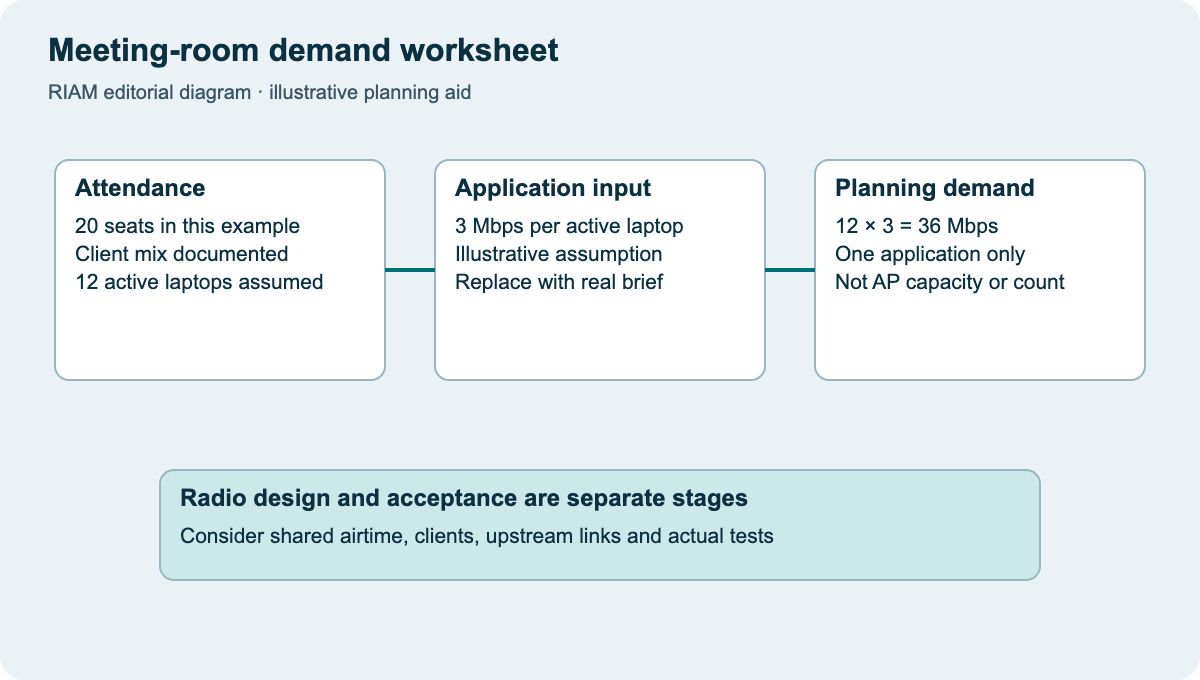
For an illustrative 20-seat room, suppose each attendee has one laptop and 12 laptops are simultaneously using an application budgeted at 3 Mbps each. The planning load for that application is 36 Mbps: 12 × 3. The 3 Mbps value is an assumed worksheet input, not a guaranteed requirement for a named conferencing service.
Add other concurrent applications and shared-room equipment separately. Obtain current requirements from the application owner when specifying a real project. This calculation describes an offered traffic assumption; it is not a calculation of AP count or a promise that a particular radio can deliver the result.

Account for the shared radio environment
Nearby rooms and open-office users can affect the design. Ask the designer to consider room construction, neighbouring APs, client capabilities and interference rather than assuming the room is an isolated cell.
Cisco’s survey guidance explicitly includes capacity considerations and post-validation checks. Cisco WLAN site survey guidelines Translate that into a requirement to document the busy-period assumptions and test the intended use. Avoid demanding one universal signal threshold or AP-per-room ratio without agreeing how it relates to the application.
Check the wired dependencies
Confirm the AP’s connection, power mode, switch capacity and upstream paths. The room’s users still depend on DHCP, DNS, authentication, internet or application access and any relevant firewall policies. Poor experience is not always fixed by installing another radio.
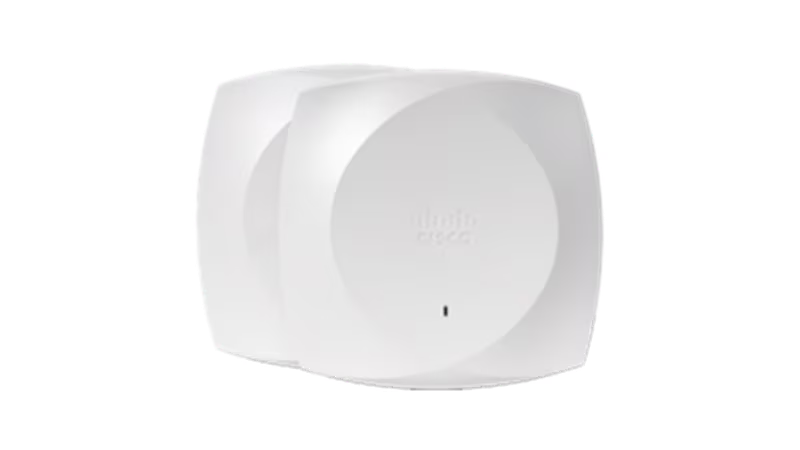
The pictured Cisco 9176 access point is a specific model reference. Its product sheet distinguishes model and power configurations. Cisco Wireless 9176 Series datasheet Product selection still needs the room design and locally supported features; the photograph does not make it the default choice for this example.
Describe the busiest relevant moment
For a training room, the relevant moment may be a simultaneous software download. For a boardroom, it may be several interactive calls while visitors join the guest network. Put the intended scenario in the brief so the acceptance test does not accidentally demonstrate only an easy, unrepresentative condition.
Write a testable acceptance scenario
Describe the test devices, concurrent activity, locations and important applications. Include joining the network, authenticating, reaching the application and maintaining the required activity. Record the conditions and results so a repeat test can be compared meaningfully.
Use RIAM’s wireless-networking enquiry with the room plan, usage schedule and current symptoms. The worksheet below helps turn “good Wi-Fi” into a brief that the design and delivery teams can discuss. Keep the application input, radio design and final acceptance evidence connected without pretending they are the same calculation.
Meeting-room demand worksheet
Use this as a discussion worksheet. Highlighted cells can be edited for your planning, then printed. Changes are not saved automatically.
| Use case | Simultaneous active devices | Per-device planning input | Calculated demand |
|---|---|---|---|
| Illustrative application | 12 | 3 Mbps, assumed | 36 Mbps (12 × 3) |
| Other traffic | Enter realistic concurrent count | Get application-owner input | Count × input |
| Room system | State wired or wireless | Get application-owner input | Record separately |
| Acceptance test | Name clients and locations | Define required activity | Record observed result |
Example values, where shown, are labelled assumptions. This is not a quotation or an engineer-approved design.
Questions buyers ask
Can I size Wi-Fi from the seat count?
Use it as an attendance input, then consider devices, applications, concurrency and the radio environment. It does not directly determine AP count.
Is 36 Mbps a product recommendation?
No. It is the result of the labelled example inputs. Replace those inputs with requirements for your actual applications.
Will adding an AP always help?
No. The design must account for radio interaction and upstream constraints. Investigate the bottleneck before adding hardware.
Should the room video system use Wi-Fi?
Record the system’s supported connectivity and project requirements. Treat its connection as a design decision rather than an assumption.
What should acceptance demonstrate?
The agreed client mix should complete the intended activities in the agreed locations and conditions, with results and exceptions documented.
Discuss the requirements with RIAM’s wireless services team. For background, read the existing wireless guide.
Manufacturer references
References checked on 22 October 2026. Model details and project suitability should be checked against the selected configuration.
Also read our warehouse scanner walk test and Wi-Fi survey deliverables.

[…] Also read our wireless access management and meeting-room capacity brief. […]
[…] the survey provider a scaled drawing and identify which areas matter. Show meeting rooms, partitions, storage, special construction and expected changes. Explain whether the business needs […]
[…] read our meeting-room capacity brief and Wi-Fi survey […]