Copper · Buyer guide
A patch panel has moved a few rack units and the cables still reach. Should the team simply reconnect everything and close the job? First identify what the move changed. Disturbed terminations, altered cable support and new patch cords can call for different checks. Agree the retest scope before the work starts.

Define the boundary of the change
List the panel ports and permanent links affected by the move. Record whether the panel was relocated with cables attached, whether terminations were remade and whether any permanent cable was extended or replaced. Keep neighbouring links that were disturbed during access in the assessment.
The boundary should be physical and documented, not based only on which users later complain. An outlet that is currently unused may still be part of the accepted installation. Decide whether it remains in the test scope rather than omitting it by default.
Separate the permanent link from the live channel
Identify the cabling configuration the original acceptance reports describe. Then record which parts of that configuration changed. If equipment cords were replaced but the fixed cabling remained untouched, do not silently reuse a report as though it described every element of the current live path.
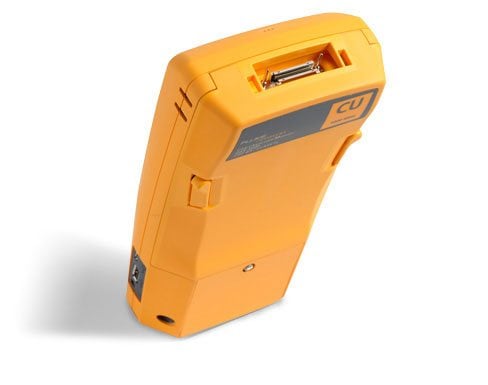
Fluke’s DSX documentation describes certification and diagnostics, including parameters such as crosstalk and return loss. Fluke Networks DSX CableAnalyzer The practical procurement question is which applicable test configuration and limits the owner requires after this particular change. A simple continuity check is not the same test package as certification.

Set the method with the designer or owner
Agree which affected links require full retesting and whether additional inspection is needed. Record the reason for that choice, especially where the work touches a warranted system or a project specification with particular conditions. Do not invent a universal rule that every move needs exactly the same test.
Use the selected cable and connectivity manufacturers’ instructions for handling, routing and termination. An installer should not solve a reach problem by forcing an unsuitable bend or applying tension. Where the move exposes a deficiency, record the corrective scope instead of treating the original layout as an obligation to preserve it.
Keep reports under the same link identity
The label, patch-panel schedule and test result should point to one connection. Save the pre-change report, the change reference and the accepted retest together. If an identifier changes, maintain the cross-reference so future engineers can follow the history.
Ask for the agreed instrument details and relevant calibration evidence, along with test settings, result files and any failed-then-corrected records. A folder of green summaries becomes much more useful when it can be reconciled to a complete list of affected links.
Document an unchanged link honestly
Suppose a neighbouring panel stayed in place and none of its links were disturbed. Record that observation and the owner’s decision about testing; do not generate new-looking results by relabelling its old reports. The distinction protects the history and makes the post-change test package easier to interpret.
Restore service and close the physical change separately
A successful application check confirms a useful outcome, but it does not by itself document the performance of every affected permanent link. Likewise, a cable pass does not establish that the right VLAN, PoE behaviour or business service has been restored. Assign both checks where relevant.
Use the worksheet to agree the retest scope with RIAM or your project engineer before the panel move. At handover, reconcile affected links, accepted reports and unresolved exceptions. That gives the team a clear basis for sign-off without turning “it still works” into the entire acceptance method.
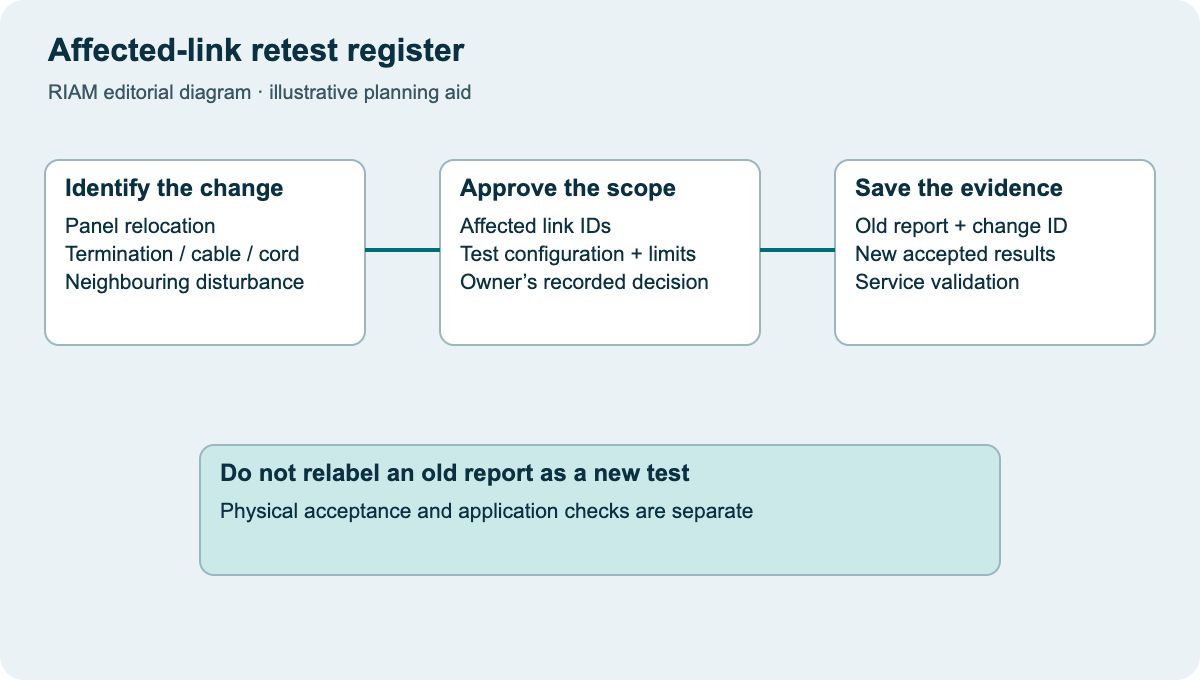
Affected-link retest register
Use this as a discussion worksheet. Highlighted cells can be edited for your planning, then printed. Changes are not saved automatically.
| Link / panel port | What changed? | Required evidence | Closure |
|---|---|---|---|
| Enter link ID | Panel position / termination / cable / cord | Owner-approved test configuration | Report ID + result |
| Neighbouring link | Disturbed during access? | Inspection / retest decision | Reason + approver |
| Service validation | Port and configuration changes | Application / PoE checks as applicable | Owner sign-off |
Example values, where shown, are labelled assumptions. This is not a quotation or an engineer-approved design.
Questions buyers ask
Does continuity prove cable certification?
No. Record the required test method and configuration. Continuity and certification answer different levels of acceptance.
Should unused links be included?
Assess every link within the approved change boundary. Unused does not automatically mean outside the accepted cabling scope.
Can the old report stay in the handover?
Keep it as history, clearly labelled. Add the change record and the accepted post-change evidence so the old result is not mistaken for a new test.
Who chooses the retest scope?
The project owner or designer should approve it with the installer, considering the specification and any applicable system warranty conditions.
Does a passing test restore the user’s service?
Not necessarily. Configuration and application checks may still be needed. Define physical acceptance and service validation separately.
Discuss the requirements with RIAM’s copper services team. For background, read the existing copper guide.
Manufacturer references
References checked on 22 October 2026. Model details and project suitability should be checked against the selected configuration.